Printer supply buying guide
Compatible vs OEM Ink and Toner Cartridges
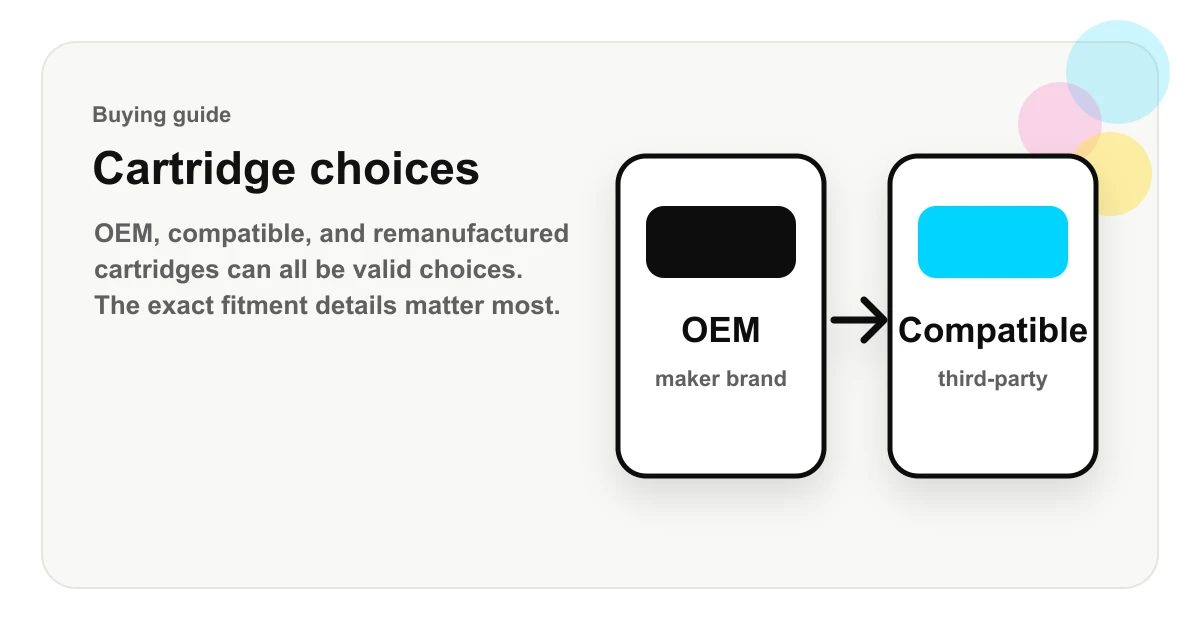
OEM, compatible, and remanufactured cartridges can all be legitimate choices, but they are not the same thing. The right choice depends on your printer model, cartridge number, print quality needs, page volume, seller policy, and tolerance for troubleshooting.
Match the cartridge number printed on your current supply or listed in the printer manual.
Compare price against page yield and pack size, not just the lowest checkout price.
Review recognition, firmware, return, and replacement language before leaving the retailer page.
Quick answer
OEM cartridges are made by the printer manufacturer. Compatible cartridges are new third-party replacements built to work in the same printer models. Remanufactured cartridges are previously used OEM cartridges that have been cleaned, repaired, refilled, and tested for reuse.
For many everyday print jobs, compatible cartridges can be attractive because the price is often lower. For specialized printing, strict color matching, warranty-sensitive environments, or machines that recently received firmware updates, OEM may be the more conservative choice. The safest buying process is not “OEM good, compatible bad” or the reverse. It is matching the exact cartridge number, exact printer model, color, yield, and seller policy before paying.
| Type | What it means | Best use case | Main check |
|---|---|---|---|
| OEM | Made and sold by the printer manufacturer. | Warranty-sensitive printers, strict color needs, or the most conservative buying path. | Confirm the exact cartridge number and printer-region details. |
| Compatible | New third-party replacement designed for the same cartridge family. | Everyday documents, office printing, shipping labels, schoolwork, and cost control. | Confirm replacement OEM number, chip/firmware notes, yield, and seller policy. |
| Remanufactured | Used cartridge shell that has been cleaned, refilled, repaired, and tested. | Common cartridge families where the seller is clear about testing and returns. | Confirm the listing clearly says remanufactured and names the replacement cartridge. |
What OEM means
OEM stands for original equipment manufacturer. In printer supplies, it usually means the cartridge is sold by the same company whose name is on the printer. For example, an HP-branded cartridge for an HP printer or a Brother-branded toner cartridge for a Brother printer.
OEM cartridges are generally designed and tested for a specific printer ecosystem. They may include manufacturer-specific chips, seals, packaging, page-yield claims, and support language. That can make OEM a simpler choice when a printer is under warranty, when a business wants the least possible compatibility uncertainty, or when print quality consistency matters more than cost per page.
What compatible means
A compatible cartridge is a third-party replacement cartridge made to fit and function in printers that use a specific cartridge family. It should clearly identify the cartridge number it replaces, the printer models it is intended for, color, yield, pack size, and whether the product is new compatible, remanufactured, or another supply type.
Compatible cartridges are common in both inkjet and laser printing. They can be single-color cartridges, black cartridges, color sets, high-yield versions, toner cartridges, drum units, maintenance boxes, or multi-packs. The value depends heavily on the seller’s quality control and on how clearly the listing describes compatibility.
What remanufactured means
Remanufactured cartridges are usually used OEM cartridges that have been collected, inspected, cleaned, refilled, and tested. This is different from a new compatible cartridge, which is built as a third-party replacement from the start.
Remanufactured can be a practical option for some cartridges, especially common inkjet families. The important thing is clarity. A good listing should not blur the line between OEM, new compatible, and remanufactured. If the product is remanufactured, the seller should say so plainly.
Cost and yield
The headline price is only part of the comparison. Page yield, pack size, and color mix matter just as much. A standard-yield cartridge may be cheaper at checkout but more expensive per printed page. A high-yield cartridge may cost more up front but reduce replacements for frequent printing.
When comparing listings, look at the replacement cartridge number, approximate page yield, number of pieces, and whether the listing is one cartridge or a set. For toner, also check whether the product is a toner cartridge or a drum unit. For ink, check whether the product is a black cartridge, individual color, tri-color cartridge, or multi-pack.
Compatibility risks
Most buying mistakes come from near-matches. A printer model may have several suffixes, and a cartridge family may have standard-yield and high-yield versions. Similar cartridge numbers can belong to different regions or printer generations.
Before checkout, match the full printer model shown on the machine, the cartridge number printed on the current cartridge, the color, and the yield. If a retailer page lists compatible printers, confirm that your exact model is present. If the model name is close but not exact, keep checking before buying.
Firmware and chips
Some printers use chips or electronic contacts to identify cartridges. Firmware updates may affect how a printer recognizes replacement supplies. This is one reason a cartridge can work for one shopper and fail for another printer that appears similar.
If your printer has recently updated firmware or displays messages such as “cartridge not recognized,” “supply problem,” or “non-genuine cartridge,” review the seller’s compatibility notes before replacing more hardware. A good seller should explain what to do if a cartridge is not recognized.
Print quality
For everyday documents, invoices, schoolwork, shipping labels, and internal office printing, many shoppers focus on compatibility and cost per page. For photo printing, brand-critical color, professional proofs, archival work, or specialized paper, quality consistency may matter more.
Ink type, toner formulation, paper, printer settings, and cartridge condition can all affect output. If the print job is important, test a small run before committing to a large batch of prints.
When OEM makes sense
OEM may make sense when the printer is new, under a strict service contract, used for high-stakes print work, or operated in an environment where troubleshooting time costs more than cartridge savings. OEM can also be the conservative choice if a printer model is known for strict cartridge authentication.
When compatible makes sense
Compatible cartridges can make sense when the goal is lowering everyday printing cost and the seller provides clear compatibility data, replacement numbers, returns, and warranty language. They are especially attractive for high-volume document printing where cost per page matters and print requirements are practical rather than specialized.
Buying checklist
- Match the exact printer model, including suffixes such as DW, CDW, DN, XL, or e-series labels.
- Match the cartridge number, not just the printer brand.
- Confirm color, pack size, standard-yield or high-yield status, and approximate page yield.
- Check whether the listing is OEM, compatible, or remanufactured.
- Review seller warranty, return, shipping, and replacement policies before checkout.
- Keep packaging until the cartridge is installed and accepted by the printer.
How InkToYou helps
InkToYou is an independent guide. The site organizes printer pages, cartridge-family pages, product pages, and retailer links so shoppers can confirm printer compatibility before leaving for a merchant site. Manufacturer names are used only to describe compatibility.
FAQ
Are compatible ink cartridges the same as OEM cartridges?
No. OEM cartridges are made by the printer manufacturer. Compatible cartridges are third-party replacements designed for the same printer models or cartridge numbers.
Do compatible cartridges void a printer warranty?
Using a compatible cartridge does not automatically mean a printer warranty is void, but warranty handling can depend on the printer maker, the seller, the country, and whether a cartridge caused the problem.
What is the safest way to buy compatible ink or toner?
Match the exact printer model, cartridge number, color, yield, pack size, and seller policy before checkout. Avoid listings that hide replacement numbers or use vague compatibility language.